Windows 11 AI Update: Copilot Fully Integrated
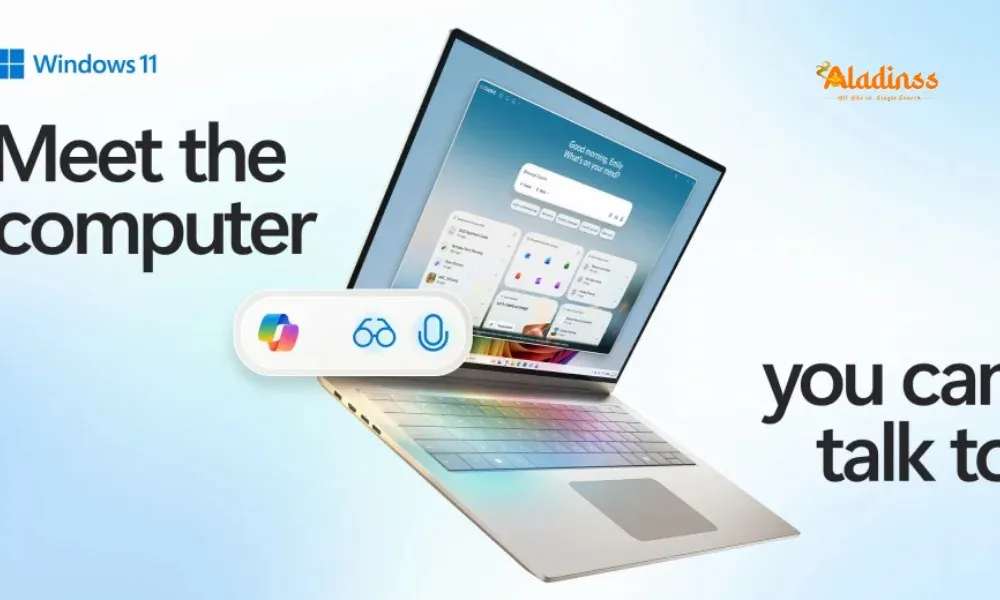
Windows 11 Gets Its Biggest AI Update as Copilot Becomes Fully Integrated
Microsoft has rolled out the biggest AI update for Windows 11, making its Copilot assistant fully integrated within the operating system. With this update, users no longer need a specialized AI-enabled PC to enjoy the full range of Copilot capabilities. Now, every Windows 11-compatible device can leverage the AI assistant for everyday tasks, turning standard PCs and laptops into intelligent, agentic systems.
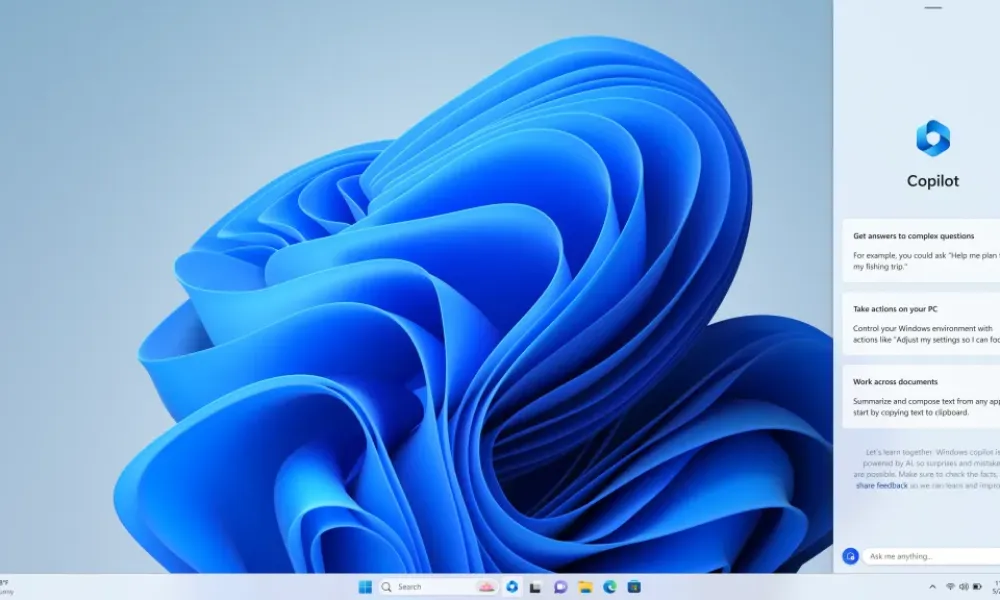
According to a Microsoft newsroom post, the company aims to make AI accessible by embedding it into daily Windows experiences. Yusuf Mehdi, Executive Vice President and Chief Marketing Officer, stated that this server-based Copilot integration enables devices that cannot handle AI locally to still benefit from intelligent assistance.
Three Levels of Copilot Integration
Microsoft is introducing Copilot integration at three levels. First, a conversational interface allows users to interact with the AI via text or voice, similar to chatbots. Second, the Copilot Vision feature lets the assistant analyze on-screen content to provide relevant guidance. Lastly, the agentic capabilities enable Copilot to perform actions on behalf of users. All features are opt-in and secured through Microsoft’s robust security tools.
Enhanced Voice Activation and Copilot Vision
Users can now activate Copilot simply by saying “Hey Copilot” and conclude the interaction with “Goodbye,” tapping the X button, or letting the session idle. The Copilot Vision tool is now broadly available across all markets with “full desktop” and “app sharing” modes, allowing the AI to access entire devices or selected applications for better contextual understanding.
The Highlights feature lets users share a specific app with Copilot Vision and ask guidance-style questions. Text-based interactions will soon be supported, expanding the flexibility beyond voice commands.
Windows Insider Preview Features
Microsoft is previewing new features for Windows Insiders, including the “Ask Copilot on the taskbar” option. This opt-in tool provides one-click access to Copilot Vision and Voice directly from the taskbar, leveraging Windows API to quickly retrieve apps, files, and settings, similar to Windows Search functionality.
Copilot Actions: AI Performing Tasks for Users
The Copilot Actions feature allows the AI assistant to take actions based on the context of the user’s device. Initially available in the Edge browser, it will soon operate across the entire system. Tasks such as organizing vacation photos or extracting information from PDFs can now be automated, reducing manual effort for users. Microsoft plans to roll out a limited set of use cases initially to fine-tune performance.
Copilot Connectors for Third-Party Integration
Copilot connectors, currently available to Windows Insiders, allow linking of third-party data hubs like OneDrive, Outlook, Google Drive, Gmail, and Google Calendar. Once connected, Copilot can access these services to answer queries intelligently, enhancing productivity and bridging multiple apps and services seamlessly.
Conclusion
The Windows 11 Gets Its Biggest AI Update as Copilot Becomes Fully Integrated, providing users with intelligent assistance, agentic actions, and deep integration with third-party apps. This upgrade ensures every Windows 11 device can benefit from AI capabilities, making everyday tasks faster, smarter, and more efficient.
Facebook Comments




![How To Get Pocket FM MOD APK v8.1.3 [VIP Unlocked, Free]](https://genie.aladinss.com/genie/cloud/classifieds/articles/2025/how-to/how-to-get-pocket-fm-mod-apk-v8-1-3-vip-unlocked-free/how-to-get-pocket-fm-mod-apk-v8-1-3-vip-unlocked-free-7.webp)







-
 Explore the upcoming Tamil film Maaman - cast, sto...
 -
 Read the ACE (2025) movie review starring Vijay Se...
 -
 Check out Maaman's 1st day box office collection a...
 -
 Explore tourist family reviews for Maaman movie –...
Popular Posts
Vote / Poll
Recent Posts



Recommended Posts

-
 Discover the best schools in Nagercoil f...
 -
 Discover the top-rated preschools in Nag...
 -
 Explore the best schools in Nagercoil th...

Comment / Reply From