iOS 26.1: Release Date, Features & Devices
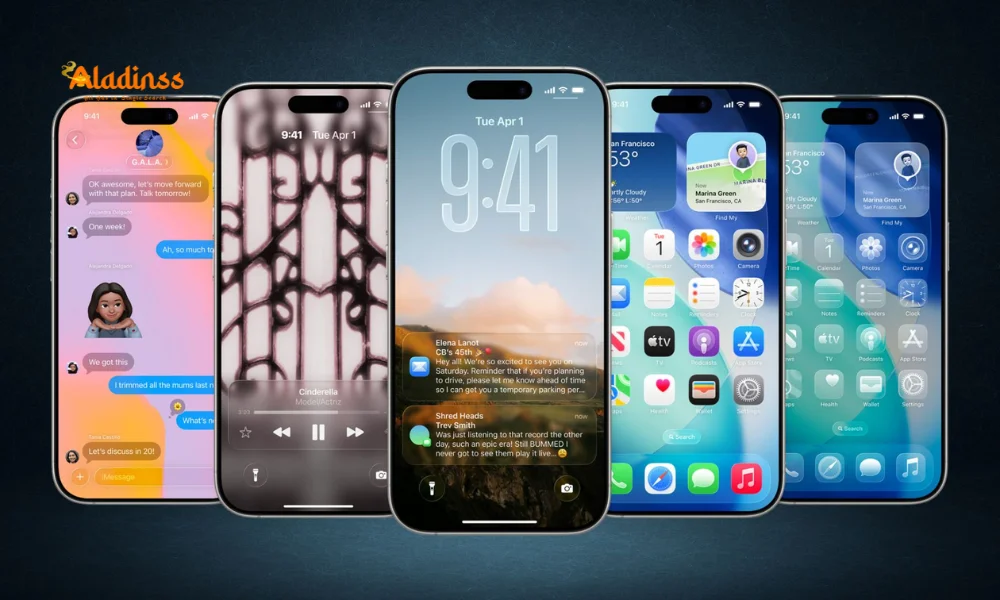
iOS 26.1 Update: Release Date, Key Features, and Compatible Devices
Apple's upcoming iOS 26.1 update promises to refine the user experience with innovative tweaks and enhancements, building on the foundation of iOS 26. As beta 2 rolls out to developers, excitement builds around iOS 26.1 features like intuitive swipe gestures in Apple Music and expanded AirPods Live Translation support. This release timeline suggests a stable version arriving soon, offering performance boosts and new functionalities for eligible iPhones. Whether you're eager for alarm management improvements or real-time translation capabilities, this guide covers everything known so far about the iOS 26.1 release.
With a focus on seamless interactions, iOS 26.1 introduces changes across apps like Settings, Safari, Phone, and Fitness, ensuring smoother navigation and better accessibility. For users seeking iOS 26.1 eligible devices, the update maintains broad compatibility, starting from older models. As Apple continues beta testing, these refinements aim to address user feedback while introducing fresh tools for daily use.
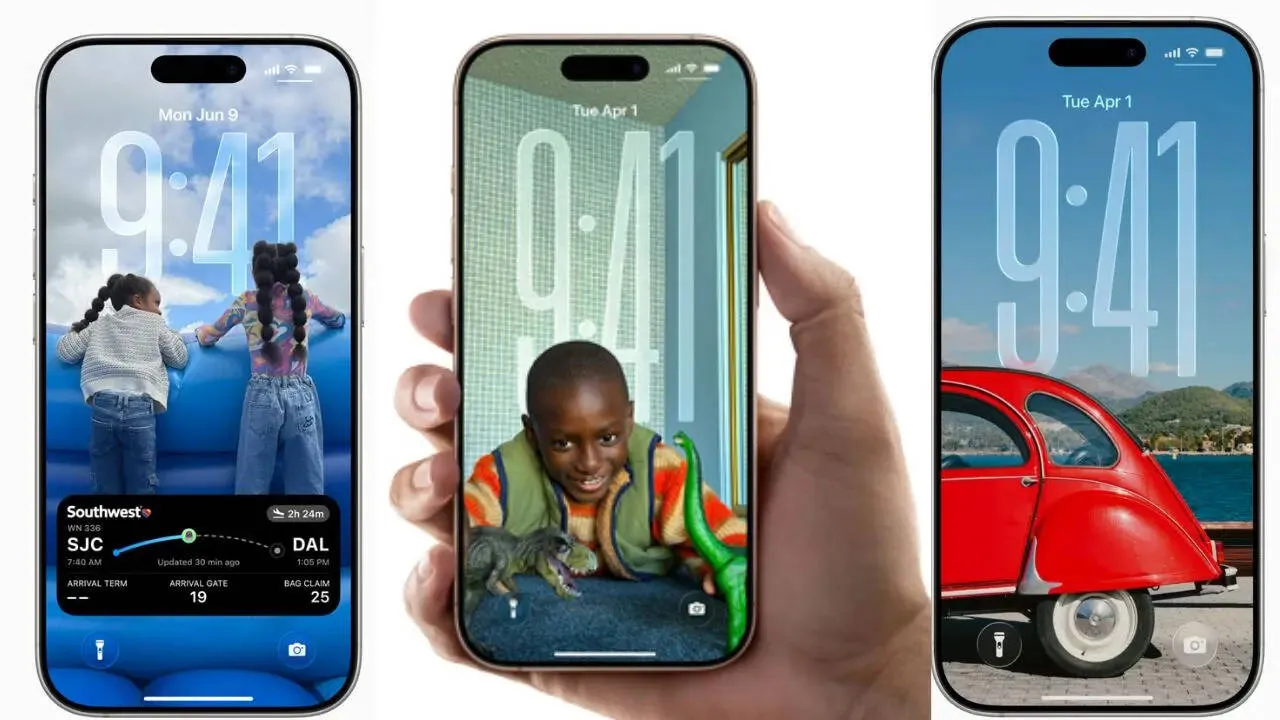
The integration of AI-driven elements in AirPods translation highlights Apple's push toward multilingual communication, making it easier for global users to connect. Meanwhile, gesture-based controls in media apps reduce taps, streamlining workflows on iOS 26.1 supported devices.
Expected Release Timeline for iOS 26.1
Although Apple has yet to announce an exact iOS 26.1 release date, the progression from beta 1 to beta 2 indicates a public launch in late October or early November 2025. This aligns with Apple's typical cadence for point updates, following major releases by a few weeks to incorporate developer input and fix bugs. Developers and beta testers are already exploring the refinements, with public betas expected soon for wider feedback.
Historically, such updates prioritize stability, so expect the final version to drop alongside watchOS 12.1 and other ecosystem syncs. For those tracking iOS 26.1 updates, monitoring Apple's developer portal or news feeds will provide the earliest signals. This timeline ensures users can prepare their iOS 26.1 compatible phones without major disruptions.
Highlighting the Top iOS 26.1 Features
iOS 26.1 brings a suite of user-centric enhancements, starting with Apple Music innovations. The new swipe gesture allows effortless track switching from the MiniPlayer—swipe left for next or right for previous—cutting down on interruptions during playback. This builds on iOS 26's media controls, making music navigation more fluid for on-the-go listeners.
- Enhanced MiniPlayer controls for quicker song transitions without leaving the interface.
- Integration with haptic feedback for tactile confirmation of gestures.
- Customization options to adjust sensitivity for personalized use.
Another standout is the expansion of AirPods Live Translation to 11 languages, including Mandarin, Korean, Portuguese, alongside existing ones like English, French, German, Italian, Japanese, and Spanish. This real-time feature enables translated conversations through compatible AirPods models, such as Pro 3, Pro 2, and AirPods 4 with ANC. It's a boon for travelers and multilingual households, leveraging on-device processing for privacy.
Alarm management sees a thoughtful redesign with the "Swipe to Stop" gesture, replacing the prominent stop button from iOS 26 to curb accidental dismissals. This applies to both alarms and timers, promoting better sleep hygiene by requiring intentional interaction. Users can now set it as default, with visual cues guiding the motion.
Refinements Across Core Apps in iOS 26.1
Beyond headline features, iOS 26.1 polishes several system apps. In Settings, expect streamlined privacy toggles and quicker access to battery insights, aiding power management on iOS 26.1 devices. Safari gains improved tab grouping with AI-suggested categories, enhancing browsing efficiency without overwhelming the interface.
The Phone app introduces call screening enhancements, integrating with Live Translation for international calls. Fitness app users will notice refined workout tracking, with better integration for third-party devices and motivational summaries based on trends. These tweaks underscore Apple's commitment to holistic ecosystem improvements.
Performance and Security Boosts
Under the hood, iOS 26.1 delivers bug fixes and optimizations for smoother animations and reduced latency. Security patches address recent vulnerabilities, ensuring robust protection for iOS 26.1 eligible iPhones. Battery life sees marginal gains through smarter resource allocation, particularly during media playback.
Which Devices Support iOS 26.1?
Maintaining Apple's inclusive approach, iOS 26.1 compatible devices include all models running iOS 26, from iPhone X onward. This encompasses iPhone SE (2nd gen and later), iPhone 11 series, iPhone 12, 13, 14, 15, and the flagship iPhone 16 lineup. Older devices like iPhone XS and XR will benefit from feature parity, though some advanced translation modes may require newer hardware.
- iPhone 16, 16 Plus, 16 Pro, 16 Pro Max: Full access to all enhancements.
- iPhone 15 series: Optimized for AirPods integration.
- iPhone X to 14: Core features like swipe gestures and alarm updates.
- iPhone SE (3rd gen): Streamlined performance for budget users.
To check compatibility, head to Settings > General > Software Update once the release nears. This broad support ensures most users can enjoy iOS 26.1 updates without hardware upgrades.
How iOS 26.1 Enhances Daily Productivity and Accessibility
The swipe to stop alarm feature alone could transform morning routines, reducing mishaps and promoting consistent wake-ups. Paired with Live Translation, it positions iOS 26.1 as a tool for inclusive communication, especially in diverse work environments. Apple Music's gestures foster immersion, ideal for commuters juggling playlists and calls.
For accessibility, these updates include voiceover refinements for gestures and expanded language packs. Businesses may leverage translation for client meetings, while educators appreciate multilingual support in classrooms. Overall, iOS 26.1 features elevate usability across scenarios.
Comparison with Previous Versions
Compared to iOS 26, this iteration focuses on polish rather than overhauls, fixing gesture inconsistencies and expanding hardware synergies. Early beta feedback highlights fewer crashes, making it a reliable upgrade path.
Preparing for the iOS 26.1 Rollout: Tips and Best Practices
As the iOS 26.1 release date approaches, back up your device via iCloud or computer to safeguard data. Clear storage space—aim for at least 5GB free—for a smooth install. If enrolled in betas, opt out before the public version to avoid conflicts.
Post-update, tweak settings for optimal battery use, like enabling Low Power Mode during initial indexing. Test new features gradually, starting with Apple Music swipes to familiarize yourself. For AirPods users, pair updated firmware via the app for full translation efficacy.
In essence, iOS 26.1 stands as a thoughtful evolution, blending convenience with innovation. With its release timeline on the horizon, eligible device owners should gear up for a more intuitive iPhone experience that redefines everyday interactions.
Facebook Comments









-
 Explore the upcoming Tamil film Maaman - cast, sto...
 -
 Read the ACE (2025) movie review starring Vijay Se...
 -
 Check out Maaman's 1st day box office collection a...
 -
 Explore tourist family reviews for Maaman movie –...
Popular Posts
Vote / Poll
Recent Posts



Recommended Posts

-
 Discover the best schools in Nagercoil f...
 -
 Discover the top-rated preschools in Nag...
 -
 Explore the best schools in Nagercoil th...

Comment / Reply From