How to Use WhatsApp on Multiple Devices Without Linking QR Codes
How to Use WhatsApp on Multiple Devices Without Linking QR Codes
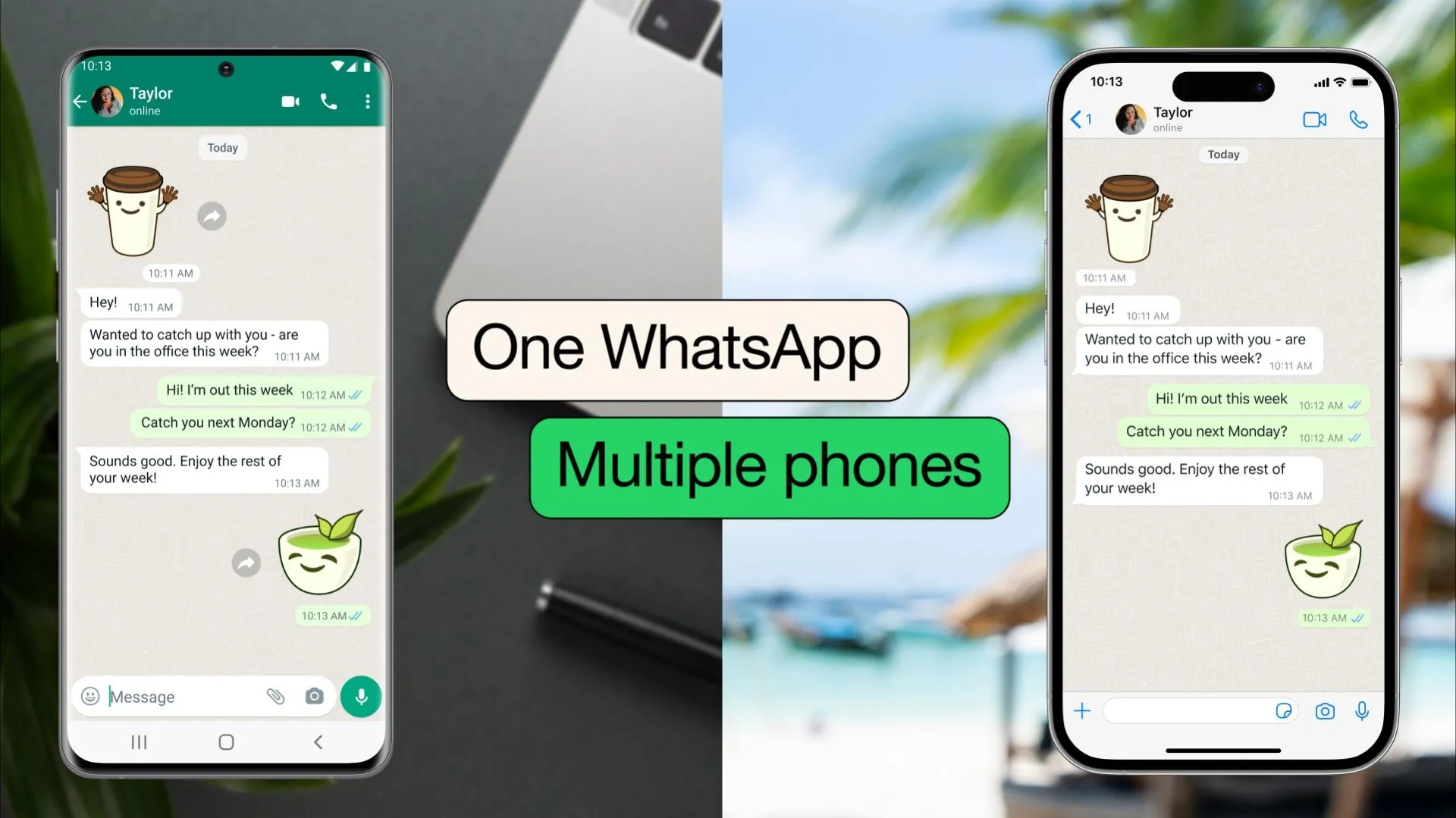
WhatsApp's revolutionary multi-device feature now lets you use WhatsApp on multiple devices without the need to link QR codes every time. This update enhances user convenience by allowing seamless access across smartphones, tablets, and computers. In this guide, we will explore how to set up and use WhatsApp on multiple devices without scanning QR codes, keeping your chats synchronized and secure.
What is WhatsApp Multi-Device Support?
The WhatsApp multi-device feature enables you to connect up to four additional devices independently, without your phone needing to be online. Unlike the traditional QR code linking method, the new system allows devices to stay connected without requiring constant verification. This ensures uninterrupted messaging even if your phone is off or disconnected from the internet.
How to Enable WhatsApp Multi-Device Without Linking QR Codes
Follow these simple steps to start using WhatsApp on multiple devices without the hassle of scanning QR codes repeatedly:
- Open WhatsApp on your primary smartphone.
- Go to Settings > Linked Devices.
- Join the Multi-Device Beta program if prompted to enable this feature.
- Tap Link a Device and follow the instructions to add your secondary device.
- Once linked, devices will stay connected without requiring QR code verification each time.
Benefits of Using WhatsApp Multi-Device Without QR Code Linking
This feature brings several advantages to enhance your WhatsApp experience:
- Offline Access: Use WhatsApp on your linked devices even if your phone is offline.
- Multiple Device Support: Connect up to four devices simultaneously for messaging convenience.
- Secure Syncing: All your chats and media stay synchronized securely across devices.
- Seamless Experience: No need to scan QR codes repeatedly, saving time and effort.
Important Tips for WhatsApp Multi-Device Users
- Always keep your WhatsApp app updated to access the latest features and security fixes.
- Remember that multi-device support is still evolving; some features might not be available on all linked devices.
- Ensure your primary device has a stable internet connection during the initial linking process.
- Respect privacy and security by only linking trusted devices to your WhatsApp account.
Final Thoughts
WhatsApp’s multi-device support without the need for continuous QR code linking marks a significant upgrade in how we use messaging apps daily. Whether for work or personal use, this feature makes managing conversations across devices easier, faster, and more secure. Start exploring WhatsApp’s multi-device functionality today and enjoy messaging without boundaries.
Facebook Comments













-
 Explore the upcoming Tamil film Maaman - cast, sto...
 -
 Read the ACE (2025) movie review starring Vijay Se...
 -
 Check out Maaman's 1st day box office collection a...
 -
 Explore tourist family reviews for Maaman movie –...
Popular Posts
Vote / Poll
Recent Posts



Recommended Posts

-
 Discover the best schools in Nagercoil f...
 -
 Discover the top-rated preschools in Nag...
 -
 Explore the best schools in Nagercoil th...

Comment / Reply From