How to Transfer WhatsApp Chats from Android to iPhone (2025 Update)
How to Transfer WhatsApp Chats from Android to iPhone (2025 Update)
Aladinss Tech News | 17-May-2025
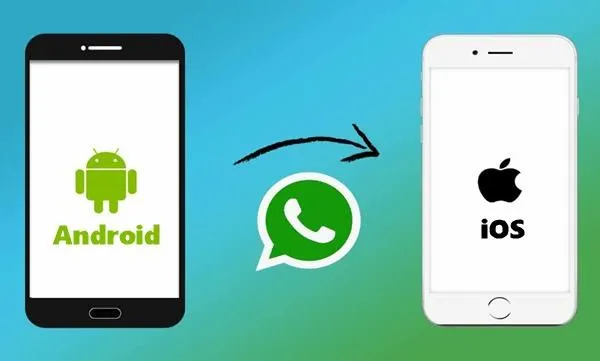
Moving from an Android phone to an iPhone has historically been a challenge for WhatsApp users, especially when it comes to transferring chat history. However, in 2025, WhatsApp has introduced an improved and official method to make this transition seamless for millions of users worldwide.
The new feature allows users to transfer their entire WhatsApp chat history, including messages, images, videos, and voice notes, from an Android device to an iPhone securely. This update is integrated with Apple’s Move to iOS app, simplifying the migration process and ensuring data privacy throughout.
Understanding the WhatsApp Chat Transfer Feature
WhatsApp’s updated transfer feature works during the initial iPhone setup process. Users must use the Move to iOS app on their Android devices, which establishes a direct connection with the iPhone. During this process, WhatsApp data is encrypted and moved securely without relying on third-party tools or cloud backups.
What You Need Before Starting
- Both phones fully charged and connected to the same Wi-Fi network.
- Android phone with WhatsApp version updated to the latest.
- iPhone running iOS 16 or later and in factory reset state (ready for setup).
- Move to iOS app installed on the Android device.
- The same phone number must be used on the new iPhone’s WhatsApp account.
Step-by-Step Transfer Process
1. Begin setting up your iPhone until you reach the “Apps & Data” screen and select “Move Data from Android.”
2. Open the Move to iOS app on your Android phone and follow the prompts.
3. When prompted, enter the code displayed on your iPhone into the Android device.
4. Select WhatsApp data for transfer when given the option.
5. Wait for the transfer to complete, keeping both devices close and connected.
6. Once done, complete iPhone setup and install WhatsApp from the App Store.
7. Open WhatsApp on the iPhone and verify your phone number to restore the chat history.
Limitations and Important Notes
While this update greatly simplifies transferring WhatsApp chats, some limitations remain. The transfer must be done during the initial iPhone setup. Users who already set up their iPhones will need to reset the device to factory settings. Additionally, WhatsApp call history and peer-to-peer payment messages are not included in the transfer.
This official migration process offers a reliable and privacy-focused alternative to third-party tools that often compromise data security.
Conclusion
WhatsApp’s 2025 chat transfer feature marks a major step forward in supporting users who switch platforms. By leveraging Apple’s Move to iOS app, the messaging giant ensures that conversations, media, and important data move with users smoothly and safely. For anyone upgrading from Android to iPhone, this feature is a welcome addition that removes one of the biggest migration hurdles.
Stay connected with Aladinss for more updates on the latest technology developments and helpful guides.
Facebook Comments














-
 Explore the upcoming Tamil film Maaman - cast, sto...
 -
 Read the ACE (2025) movie review starring Vijay Se...
 -
 Check out Maaman's 1st day box office collection a...
 -
 Explore tourist family reviews for Maaman movie –...
Popular Posts
Vote / Poll
Recent Posts



Recommended Posts

-
 Discover the best schools in Nagercoil f...
 -
 Discover the top-rated preschools in Nag...
 -
 Explore the best schools in Nagercoil th...

Comment / Reply From