How To Backup On WhatsApp Guide 2025 Steps
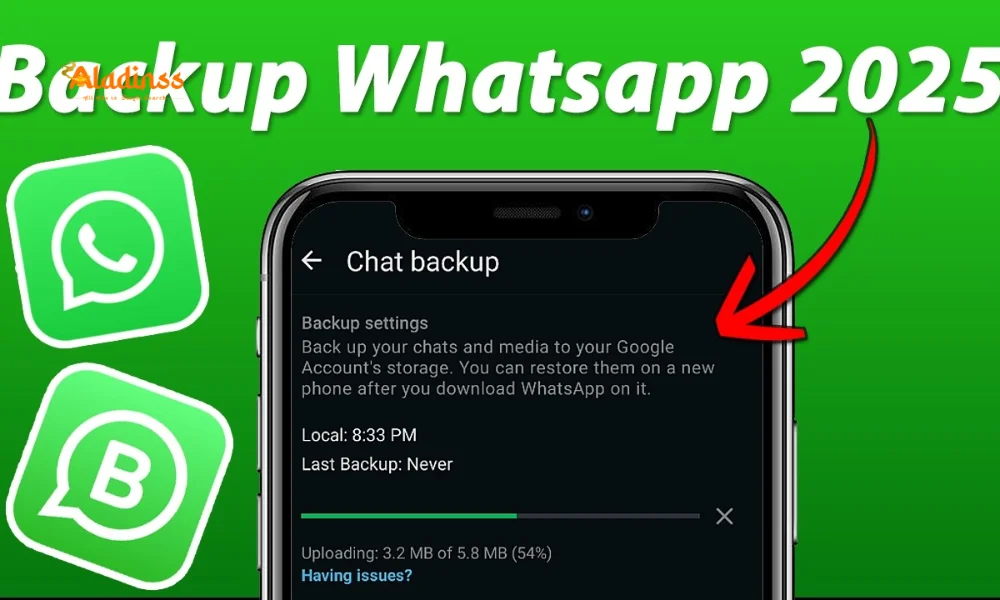
Secure Your Conversations: Ultimate WhatsApp Backup Guide for 2025
In today's digital age, backup WhatsApp chats has become a non-negotiable habit for millions relying on the app for everything from casual banter to critical business exchanges. Whether upgrading to a new phone or safeguarding against data loss, a reliable WhatsApp backup ensures your messages, media, and memories remain intact. As of 2025, WhatsApp's cloud integration with Google Drive for Android and iCloud for iOS makes the process seamless, while features like end-to-end encrypted backups add robust security. This comprehensive WhatsApp chat backup guide breaks it down step by step, covering manual, automatic, and cross-device transfers to keep your data protected without hassle.
With cyber threats on the rise, regular backups mitigate risks like device theft or app glitches. Dive in to master how to backup WhatsApp and restore effortlessly, empowering you to stay connected worry-free.

Why Backing Up WhatsApp Data is Crucial in 2025
WhatsApp's ecosystem now handles over 100 billion messages daily, encompassing voice notes, documents, and high-res videos that vanish without a WhatsApp data backup. Device failures, software updates, or even accidental deletions can wipe years of conversations, impacting personal relationships or professional networks. In 2025, with enhanced privacy laws like GDPR expansions, encrypted backups ensure compliance and peace of mind.
Beyond recovery, backups facilitate seamless migrations-vital as users switch to foldables or AI-integrated phones. Features like Chat Transfer further simplify intra-OS moves, bypassing cloud entirely for privacy purists.
Step-by-Step: Manual Backup for Android Users
For Android enthusiasts, leveraging Google Drive streamlines the backup WhatsApp Android process. This method captures text, attachments, and settings, ready for instant restore on new gadgets.
- Launch WhatsApp and navigate to the three-dot menu, selecting Settings.
- Proceed to Chats, then tap Chat backup to access options.
- Choose your Google account or add one via the prompt for secure storage.
- Toggle 'Include videos' if desired, then hit 'Back up' to initiate upload.
- Monitor progress in the notification bar; completion signals readiness for transfers.
This on-demand approach suits one-off needs, like pre-upgrade prep, and supports up to 25GB free via Google, ample for most libraries.
Also Read: How To Check SIMs on Aadhaar: Fraud Guide
iOS Guide: Effortless iCloud Integration
iPhone users benefit from native iCloud syncing for WhatsApp backup iPhone, ensuring end-to-end protection without third-party dependencies. This 2025 update includes smarter compression for faster uploads over variable networks.
- Open WhatsApp, tap Settings at the bottom, and select Chats.
- Enter Chat Backup, then choose 'Back Up Now' after verifying iCloud linkage.
- Enable video inclusion if storage permits, noting iCloud's 5GB free tier.
- Verify in iCloud settings that WhatsApp has permission for seamless runs.
- On restoration, during setup, select 'Restore Chat History' when prompted.
Restores auto-detect backups during reinstalls, minimizing downtime and preserving group memberships intact.
Automating Backups: Set It and Forget It
Manual saves are great, but auto backup WhatsApp ensures consistency. Schedule daily, weekly, or monthly to capture incremental changes without intervention.
In Settings > Chats > Chat backup, select Auto backup and frequency. Android ties to Wi-Fi only for data savings; iOS leverages background refresh. This proactive stance guards against unforeseen wipes, like factory resets.
- Daily: Ideal for heavy users tracking evolving threads.
- Weekly: Balances storage with coverage for casual chatters.
- Monthly: Suits light usage, conserving cloud quotas.
Pro tip: Monitor storage via cloud apps to avoid overflows, opting for paid tiers like Google One's 100GB for $2 monthly.
Enabling End-to-End Encryption for Backups
Privacy hawks rejoice: 2025's WhatsApp encrypted backup feature locks cloud data with your passphrase, rendering it inaccessible even to WhatsApp servers. Activate in Chat backup settings by toggling 'End-to-end encrypted backup' and setting a memorable code.
This zero-knowledge approach thwarts breaches, vital amid rising ransomware. Note: Forgotten passphrases mean irrecoverable data-use a password manager.
Cross-Device Transfers: Beyond Cloud Reliance
For same-OS switches, transfer WhatsApp chats via cable or Wi-Fi Direct bypasses internet, transferring gigabytes in minutes. Android-to-Android or iOS-to-iOS works flawlessly, retaining custom themes and stickers.
- Update both devices to latest WhatsApp versions.
- In old phone's Chats, select 'Transfer chats' and follow QR/pairing prompts.
- Connect via USB or hotspot; monitor encrypted progress bar.
- Verify on new device-no cloud needed for full fidelity.
This peer-to-peer method shines for offline scenarios, like rural relocations, and supports up to 2TB transfers on premium handsets.
Restoring Backups: Seamless Recovery Tips
Post-transfer, restore WhatsApp backup activates during setup. Verify account, then tap 'Restore' when detecting prior data. Android pulls from Google; iOS from iCloud-expect 5-30 minutes based on size.
If issues arise, like mismatched accounts, log out/in or clear cache. For partial restores, export specifics via email for granular control.
Advanced Strategies: Local and Alternative Backups
Cloud-averse? Local WhatsApp local backup saves to device storage nightly. Access via file managers at /WhatsApp/Databases-copy to PC for redundancy. Tools like TunesKit offer Gmail exports for text-only archives.
For cross-OS, third-party apps risk bans; stick to official paths. In 2025, beta multi-device backups sync across tablets sans phone tethering.
- Export chats: Settings > Chats > Export chat > Email without media.
- Local copy: Use ADB for Android pulls; iTunes for iOS mirrors.
- Hybrid: Combine with external drives for offline vaults.
These layers create ironclad redundancy, blending convenience with caution.
Troubleshooting Common Backup Hurdles
Stuck uploads? Check Wi-Fi stability and storage quotas. Encrypted fails prompt passphrase resets-avoid common words. Cross-account errors? Re-link via settings.
For 2025's AI diagnostics, WhatsApp's in-app troubleshooter flags issues proactively, suggesting fixes like VPN toggles for regional blocks.
Future-Proofing: WhatsApp's Evolving Backup Landscape
Looking ahead, WhatsApp's 2025 roadmap hints at blockchain-verified backups and AR previews for restores. Integration with Meta's ecosystem promises unified histories across Instagram DMs.
Stay updated via app notifications; enable betas for early access. Ultimately, consistent WhatsApp backup guide practices transform potential disasters into minor blips, letting you focus on what matters: meaningful connections.
Facebook Comments













-
 Explore the upcoming Tamil film Maaman - cast, sto...
 -
 Read the ACE (2025) movie review starring Vijay Se...
 -
 Check out Maaman's 1st day box office collection a...
 -
 Explore tourist family reviews for Maaman movie –...
Popular Posts
Vote / Poll
Recent Posts




Recommended Posts

-
 Discover the best schools in Nagercoil f...
 -
 Discover the top-rated preschools in Nag...
 -
 Explore the best schools in Nagercoil th...

Comment / Reply From